Tech Note: Sidenotes
My name is Mark, and I’m a tech director and writer who volunteers on the Unbreaking website team. The website has evolved over time, and every week there are small changes to improve the experience of reading and understanding our work. Occasionally we add a feature that’s interesting to people who build on the web, so if you like to wrestle with markup, CSS, and JavaScript, this one’s for you.
A couple of weeks ago we shipped a small update to our issue pages to improve how we handle footnotes and make the reading experience a bit better for everyone. If you’re viewing an issue explainer (like this one) on a larger-sized browser window, clicking on a footnote link will pop the note into the right-hand gutter to the right of the text. This turns the footnote into a sidenote, which puts the annotation in context next to the text you’re reading. If you’re on a screen reader, the browser’s focus should properly move between the text and sidenote when opening and closing a note.
How we got here
Annotations have long been an obsession of mine, and I am not alone. They’re hard to do well on the web because a text can be shaped so differently across devices and browsers. I like a good parenthetical — or a nice em-dash-set interjection — but when you start to mix dozens of notes and links into the text, it can become overwhelming. Our issue pages have a lot of annotations — sometimes more than 200 for a particularly active issue . The default behavior for footnotes uses a basic internal linking pattern, with each superscript footnote number linking to the HTML ID of the footnote itself, essentially “jumping” to the footnotes section at the bottom of the page. Each footnote also has a return link that sends you back to the footnote number in the text. It’s functional, but for a text that has a lot of footnotes, like ours does, that is a lot of jumping back and forth.
So could we make it better? Possibly, but we knew it had to meet a few requirements:
- It had to be accessible, supporting keyboard navigation and screen readers.
- Any extended functionality needed to be a progressive enhancement. If JavaScript was disabled or unavailable on a visitor’s device, the footnote links should still work.
- It had to work with our existing footnote markup pattern.
I started by prototyping two slightly different approaches: one in the style of a tooltip, where the annotation appears in a floating text box, and the other a sidenote, where the annotation appears in a sidebar.
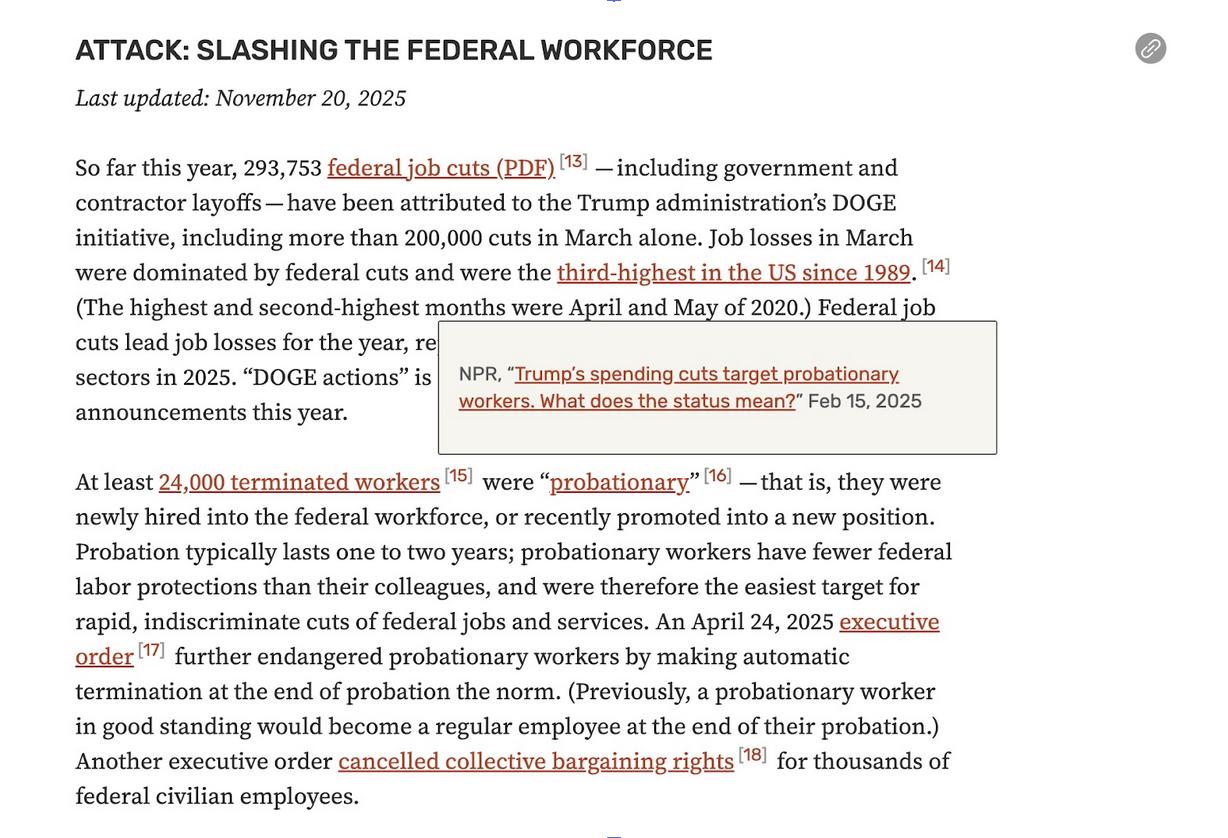
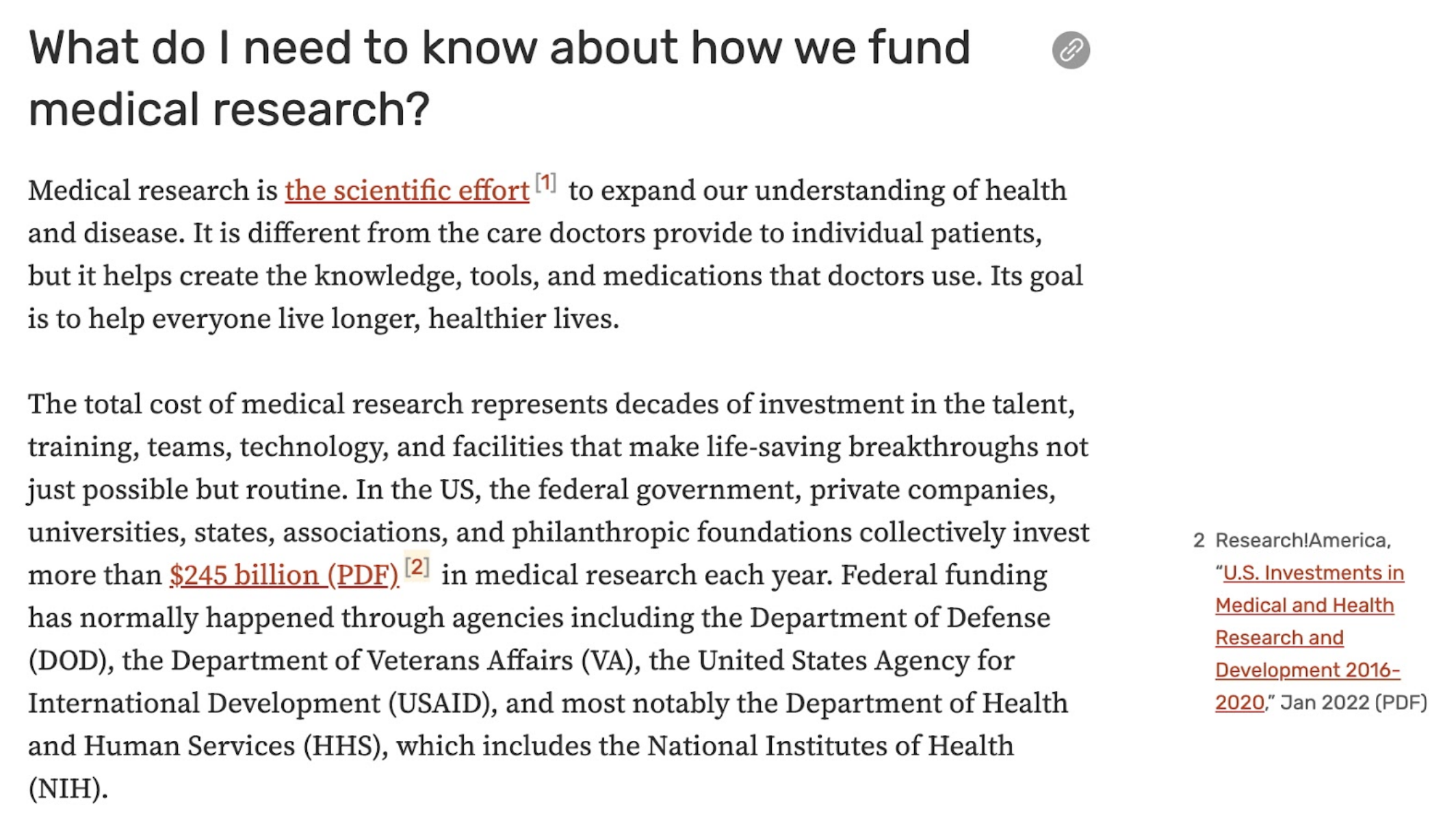
After internal user-testing, we decided to continue with the sidenote treatment, which we felt preserved the right amount of context without obscuring the main text.
Transforming footnotes into sidenotes
After the prototype stage, the code got refined through a collaborative back and forth with my teammate Ethan Marcotte, who simplified the code, made key styling changes, and implemented proper focus handling for accessibility support. The current code does a few things:
- The default behavior for footnotes is the “jump” pattern described above.
- For people reading on a larger device, we use CSS to hide the default footnote numbers and replace them with sidenote buttons. (The buttons are styled the same as the footnote number, so users don’t notice the sleight of hand.) When a reader clicks the number, we use a little bit of JavaScript to grab the footnote text and create a sidenote element for it, positioning it at the same vertical height as the sidenote button.
- Once the sidenote is created and positioned, browser focus is shifted to the note (important for keyboard and screen reader users).
- When the sidenote is closed, the browser focus returns to the sidenote button in the text.
What’s next
This is a small (but very satisfying) feature to see out in the world, and it was also a nice way to spark some momentum at the start of 2026. In the weeks since shipping sidenotes, we’ve prototyped and implemented site search and timeline date-sorting, which we’ll talk about in a future blog post. If you enjoy building things for the web and making it easier for people to understand complex information, consider joining us?